Team and Access
Remove a Teammate or Resend an Invitation
When someone leaves your staff or stops volunteering in a role that needed access, take their access away the same week. Their person record stays; only the login’s access to your church goes.
Remove someone’s access
Section titled “Remove someone’s access”-
In the sidebar, choose Administration, then Users and Roles.
-
Find their row and choose Remove.
-
Church HQ asks you to confirm, and tells you what is kept.
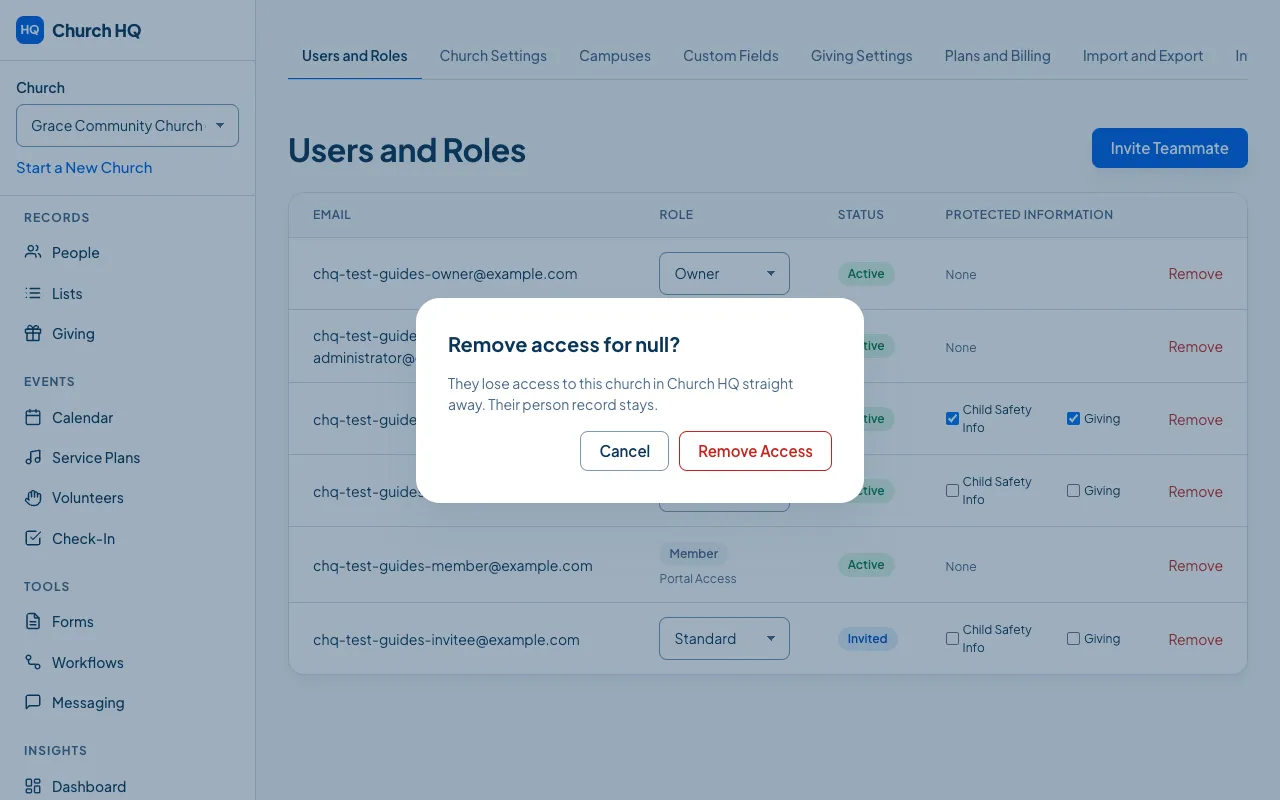
-
Choose the button that names the action to go ahead, or Cancel to leave things as they are.
What happens:
- They can no longer open your church. If they belong to other churches, those are untouched.
- Their person record stays, with their giving history, their serving history and everything else your church holds.
- The removal is recorded in the audit log.
Resend an invitation
Section titled “Resend an invitation”There is no resend button. If an invitation went astray, Remove the invited row and invite them again. That sends a fresh link.
Good to know
Section titled “Good to know”- You cannot remove the last Owner. Make someone else an Owner first.
- Removing access is not the same as deleting a person. To remove someone’s information entirely, see Handle a Privacy Request.
Still stuck? Contact the Help Desk at help@mychurchhq.com and tell us which guide you were following.