Import and Export
Import People from a Spreadsheet
Most churches start by bringing in what they already have. Church HQ imports from a CSV file, and knows the shape of the exports several other church systems produce.
-
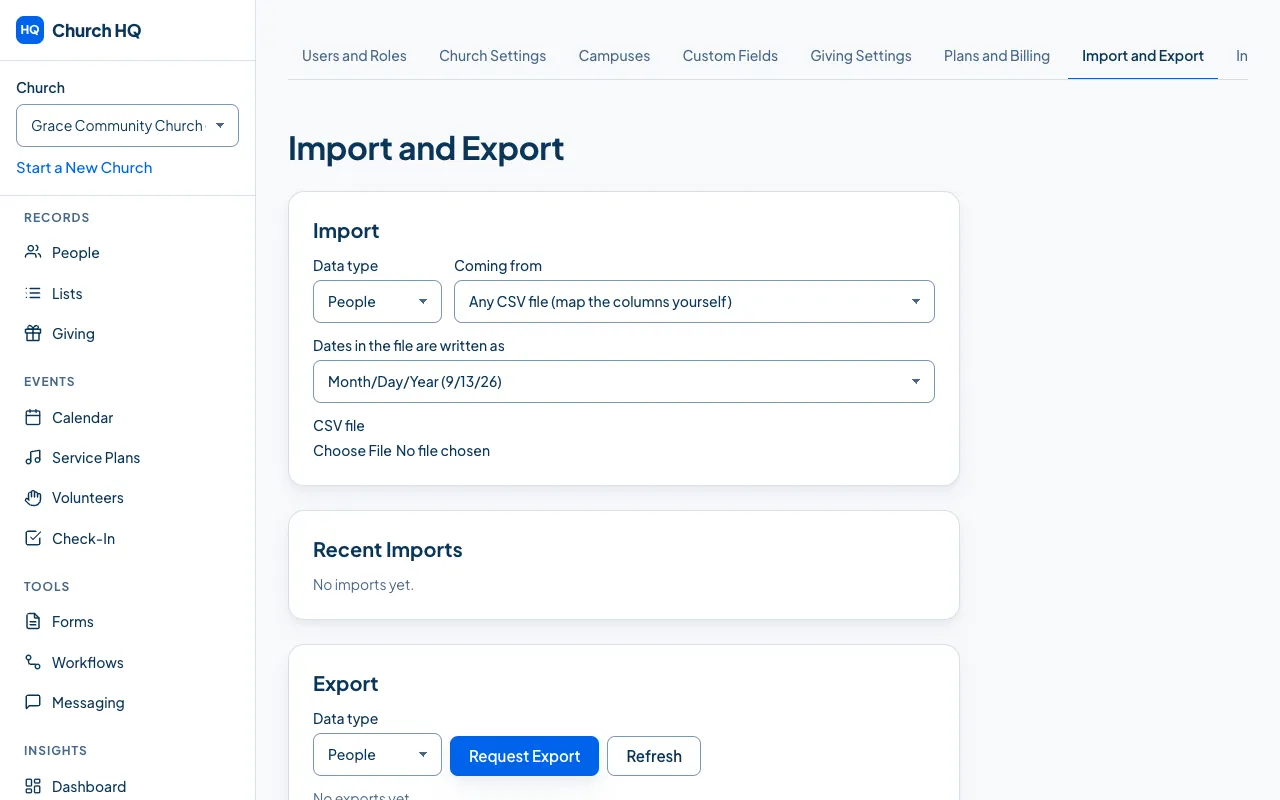
In the sidebar, choose Administration, then the Import and Export tab.
-
In Import, choose:
- the Data type: People, Households, Volunteers, Giving or Attendance
- Coming from: Any CSV file, where you map the columns yourself, or Planning Center, ChurchTrac, Tithely, Pushpay or Breeze, where Church HQ knows the columns already
- how dates in the file are written, which is what stops a birthday landing in the wrong month

-
Choose the CSV file and upload it.
-
Check the preview. Church HQ shows what it will create and what it will skip, before anything is written.
-
Commit the import.
Recent Imports keeps what happened, so you can see what each one did.
Your CSV is not kept. Church HQ removes it as soon as the import is committed or rolled back, and after 30 days if an import was started and never finished. Nothing reads the file after an import ends, including a rollback, which works from what was written rather than from the file.
Before you import
Section titled “Before you import”- Export a clean file from your old system, people first.
- Keep households together by including the household column, which is how families arrive as families.
- Try a few rows first. Import 10 people, look at them in Church HQ, then do the rest.
After you import
Section titled “After you import”- Check for duplicates. Imports are the usual source. See Find and Merge Duplicates.
- Look at a few records against the old system.
- Save the mapping if you will import this shape of file again.
Good to know
Section titled “Good to know”- Planning Center is verified, tested against a real export. ChurchTrac, Tithely, Pushpay and Breeze are built from their documented formats and are not verified against a real file yet, so check the preview carefully.
- Giving and attendance import too, so your history comes with you.
- Only Owners and Administrators can import, and every import is in the audit log.
Still stuck? Contact the Help Desk at help@mychurchhq.com and tell us which guide you were following.