Forms
Create a Form
Forms collect information: a connect card, a prayer request, a signup, a volunteer application. Answers land in Church HQ against a person where they can be matched, so a form is not a pile of email.
-
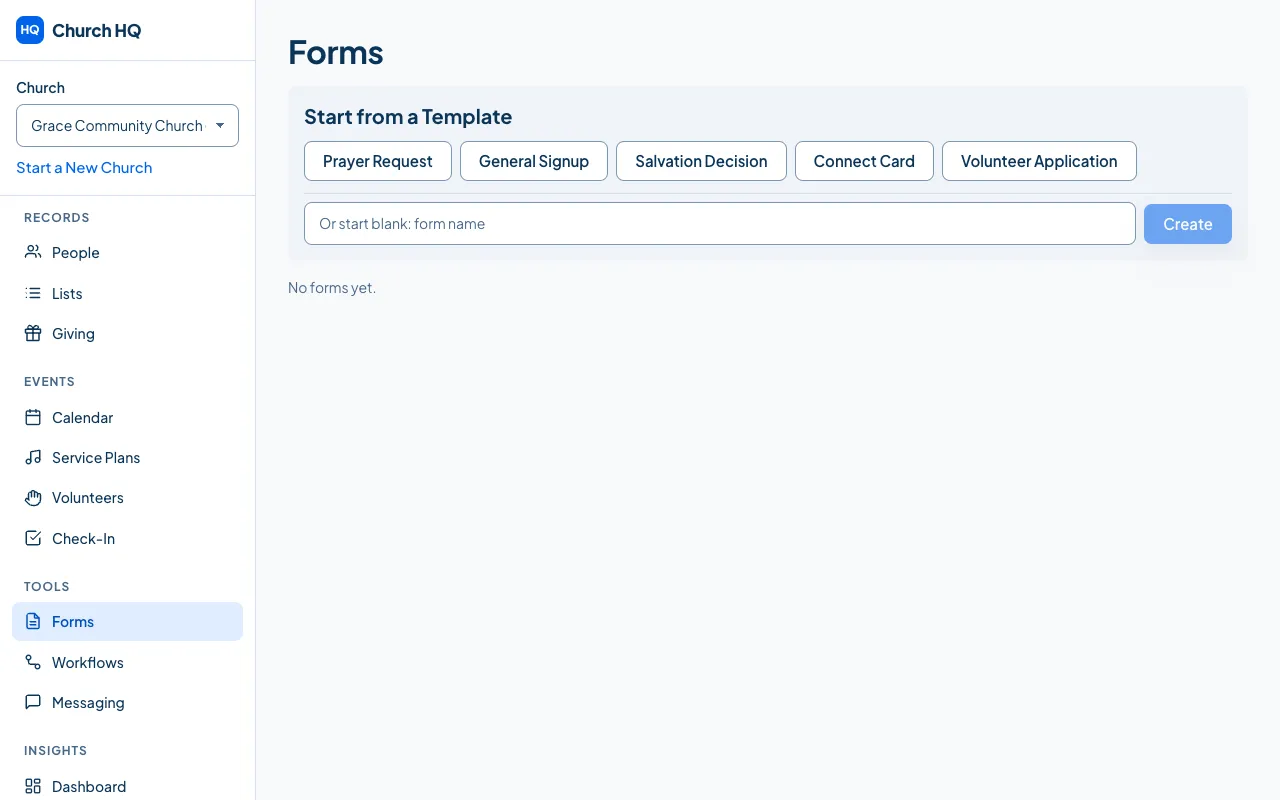
Choose Forms in the sidebar, under TOOLS.
-
Under Start from a Template, choose one of the five:

- Prayer Request
- General Signup
- Salvation Decision
- Connect Card
- Volunteer Application
Choosing one makes the form straight away, with its questions already in it.
-
Or type a name beside Or start blank: form name and choose Create to build your own.
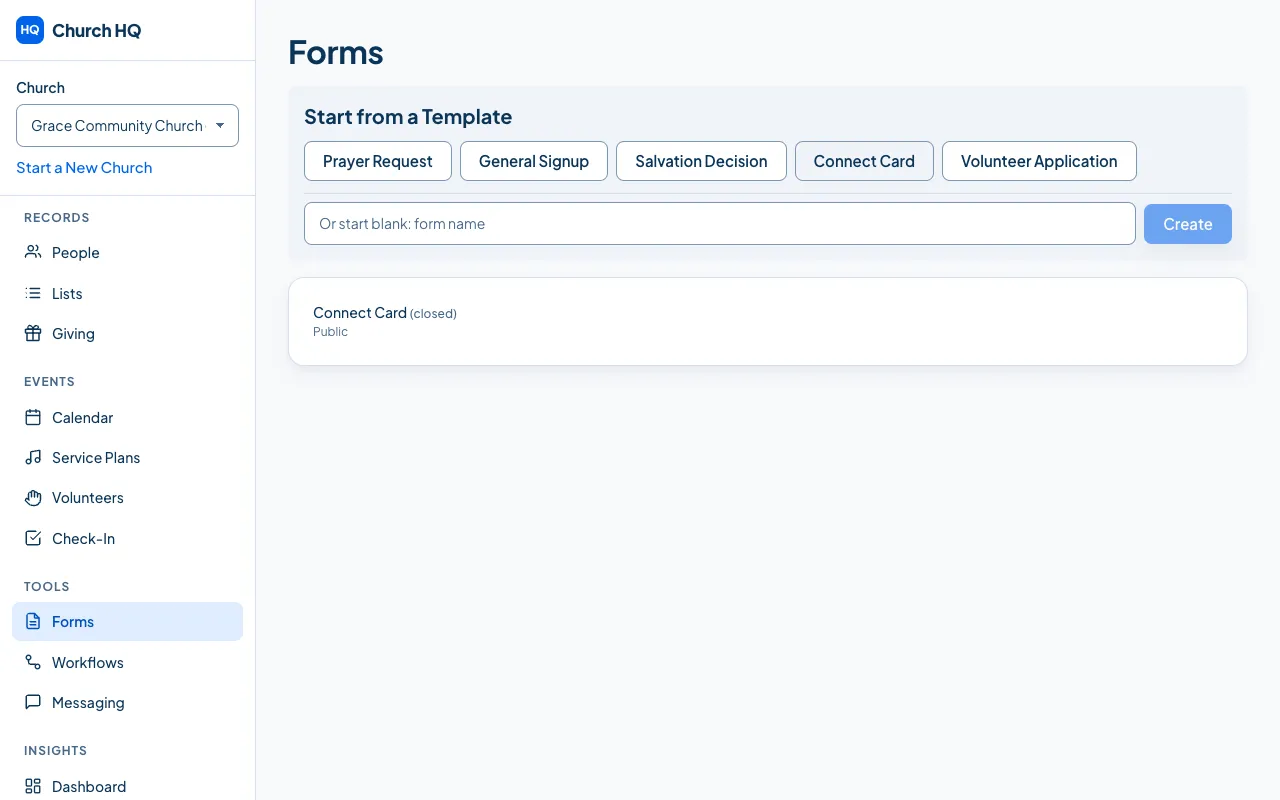
Your form appears in the list.
Editing the form
Section titled “Editing the form”Open it to change the questions, the wording, and who may fill it in.
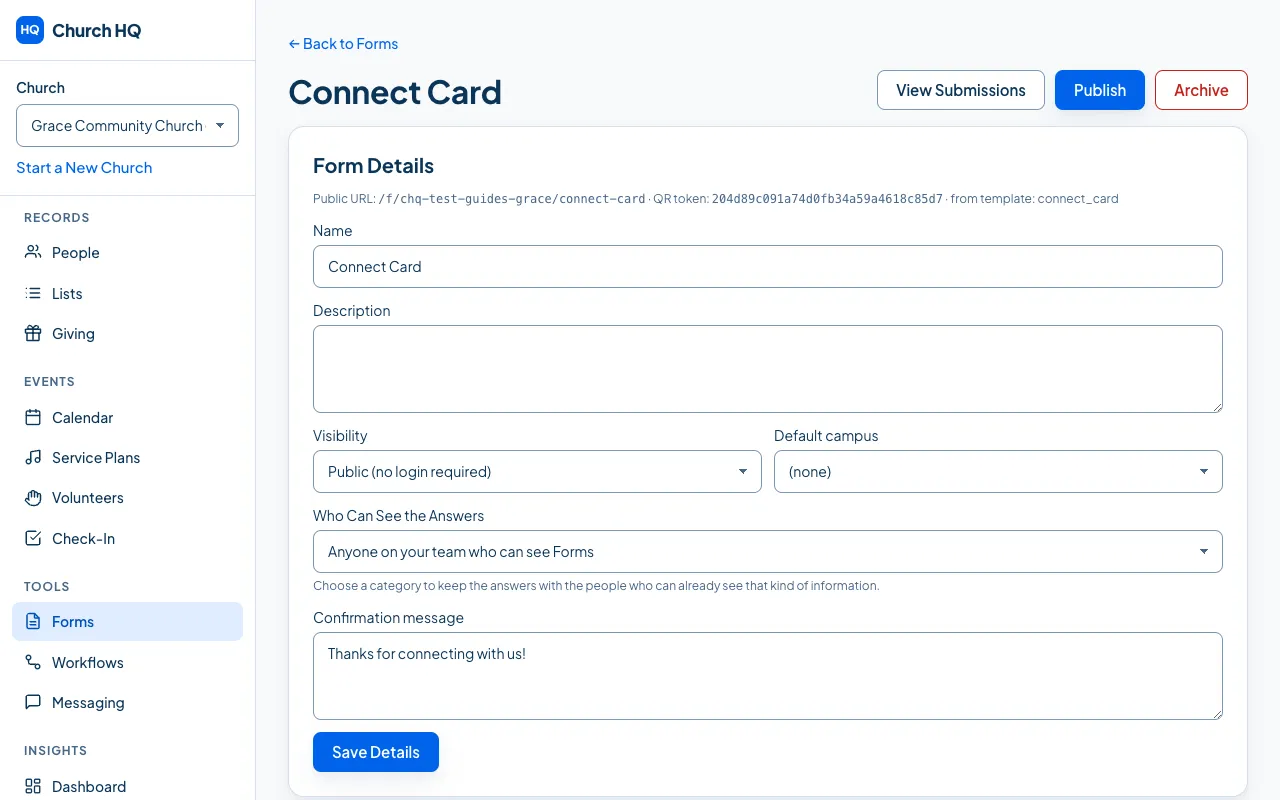
- Public forms can be filled in by anyone with the link.
- Internal forms are for people signed in to the Member Portal.
- Deleting a question warns you that its answers go too.
Good to know
Section titled “Good to know”- Prayer Request is visible to all staff. Prayer requests are not one of the protected categories, so anyone on your team can read them. Tell your team that before you use the form.
- Forms are part of Pro.
Still stuck? Contact the Help Desk at help@mychurchhq.com and tell us which guide you were following.