Calendar and Attendance
Create a Recurring Series
Most of a church’s calendar repeats: the Sunday service, the midweek group, the monthly prayer breakfast. A series sets the pattern once, and Church HQ puts the dates on the calendar for you.
-
Choose Calendar in the sidebar, then New Event.
-
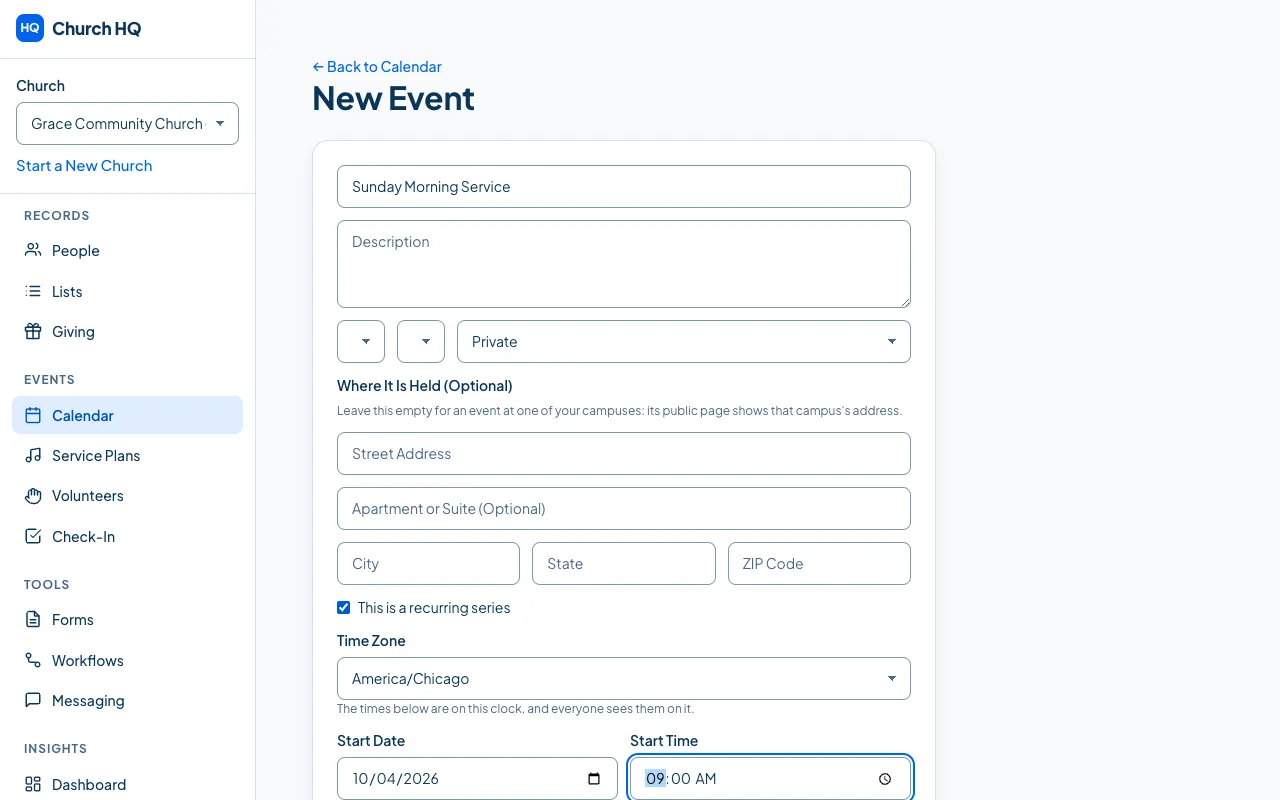
Fill in the Title, and anything else you want on every date.
-
Tick This is a recurring series. The repeating options appear.
-
Set the pattern:
- Start Date and Start Time: the first one
- Duration (Minutes): how long each one runs
- Frequency: Weekly or Monthly
- Every: every 1 week, every 2 weeks, and so on
- Day of Week
- Occurrence, for a monthly series, such as the first or the last of the month
- Ends (Optional): leave it empty for something with no end in sight
-
Choose Create Event.
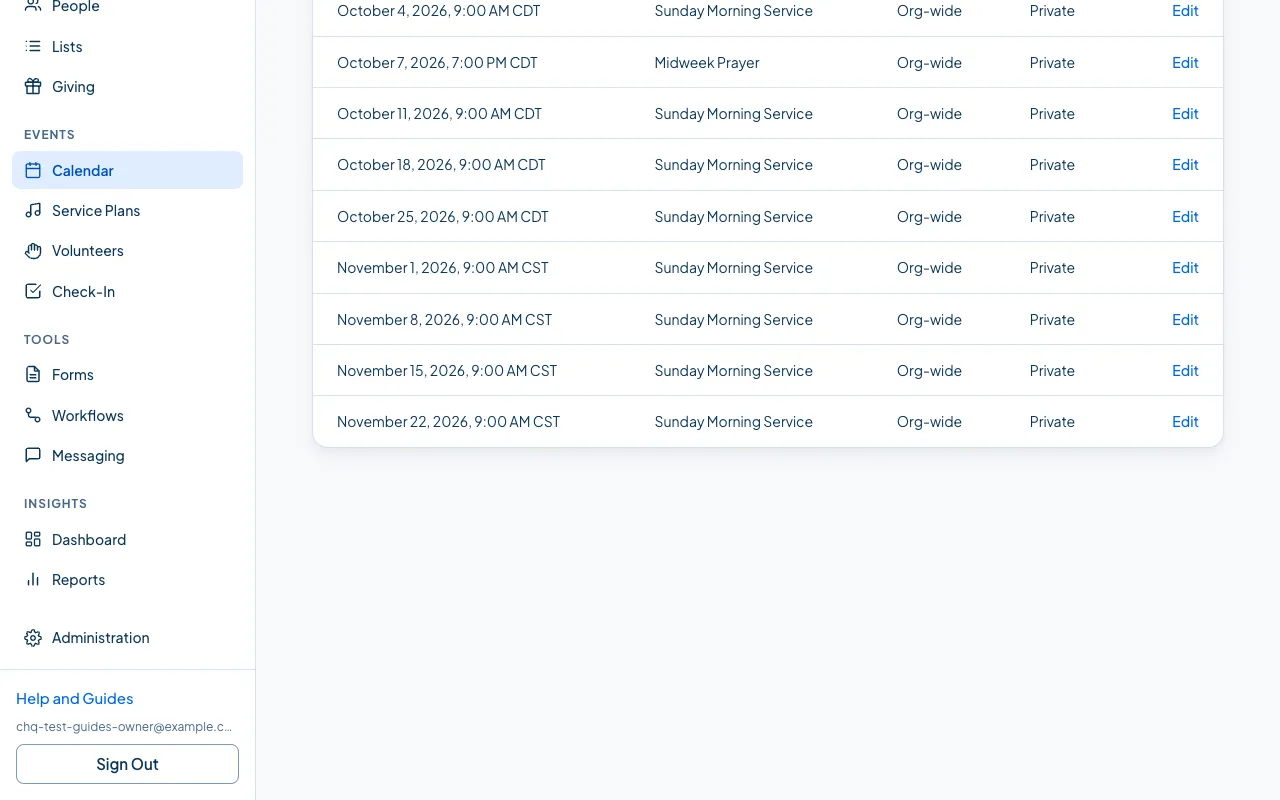
The dates appear on your calendar.
Changing a series later
Section titled “Changing a series later”Open the date you want to change. Because it belongs to a series, you are asked how far the change should reach.
- Just this occurrence (a service moved for a bank holiday): only that date changes. The rest of the series is untouched, and Church HQ remembers you set that one by hand, so later changes to the series leave it alone.
- This and all following occurrences (the service moves to 10:30 from now on): that date and every one after it take the new time, each on the date it already has. Dates earlier in the series keep the time they have, including ones still to come. Start from the first date you want at the new time.
If any of the following dates were edited by hand, Church HQ tells you which ones it left alone so you can decide what to do with them.
Good to know
Section titled “Good to know”- Church HQ fills the calendar ahead of time rather than to the end of time, and keeps topping it up, so a weekly service does not create thousands of rows.
- Attendance is per date, not per series, so you can compare one Sunday with another.
Still stuck? Contact the Help Desk at help@mychurchhq.com and tell us which guide you were following.