Getting Started
Accept an Invitation to Join a Church
Someone at your church has given you access to Church HQ. You get an email with a link.
1. Open the link in the email
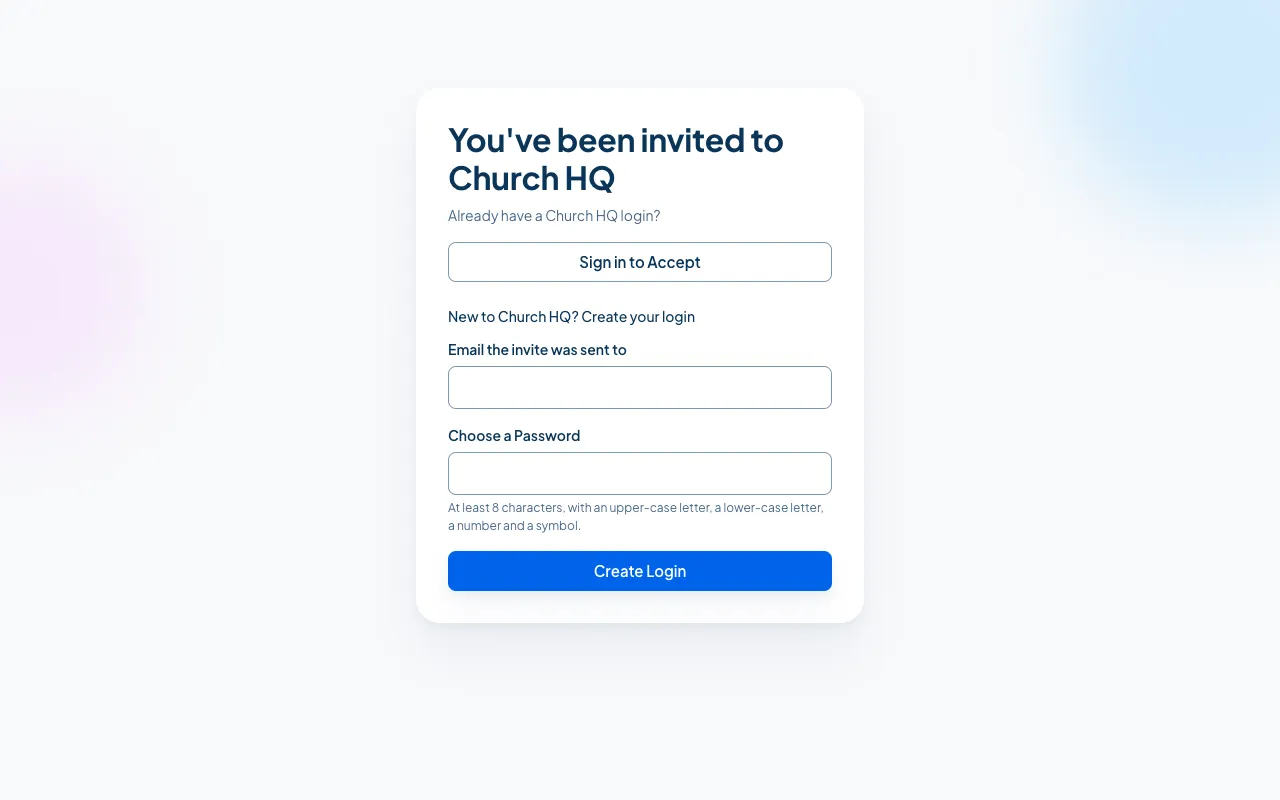
Section titled “1. Open the link in the email”It takes you to You’ve been invited to Church HQ.
2. Choose how you get in
Section titled “2. Choose how you get in”- You already have a Church HQ login (at this church or another one): choose Sign in to Accept and sign in as usual. The church is added to your login.
- You are new to Church HQ: under New to Church HQ? Create your login, type the email the invitation was sent to and choose a password, then continue. Church HQ sends you a confirmation link. Open it and you come straight back here to join.
Your password needs at least 8 characters, with an upper-case letter, a lower-case letter, a number and a symbol.
3. You are in
Section titled “3. You are in”Church HQ takes you into the church. What you see depends on the role you were given. See Find Your Way Around.
If the invitation does not work
Section titled “If the invitation does not work”The screen says This Invitation Did Not Work when a link has already been used or has been withdrawn. Ask whoever invited you to send a new one. If you already have a login, choose Sign In and check whether the church is already there.
Use the address the invitation was sent to. An invitation to you@yourchurch.org will not match a
login you make with a personal address.
Still stuck? Contact the Help Desk at help@mychurchhq.com and tell us which guide you were following.