Integrations
Connect n8n
n8n is a workflow tool that connects systems together. Church HQ publishes an official n8n node, so your church can move information between Church HQ and whatever else it uses.
This is part of an Enterprise plan.
-
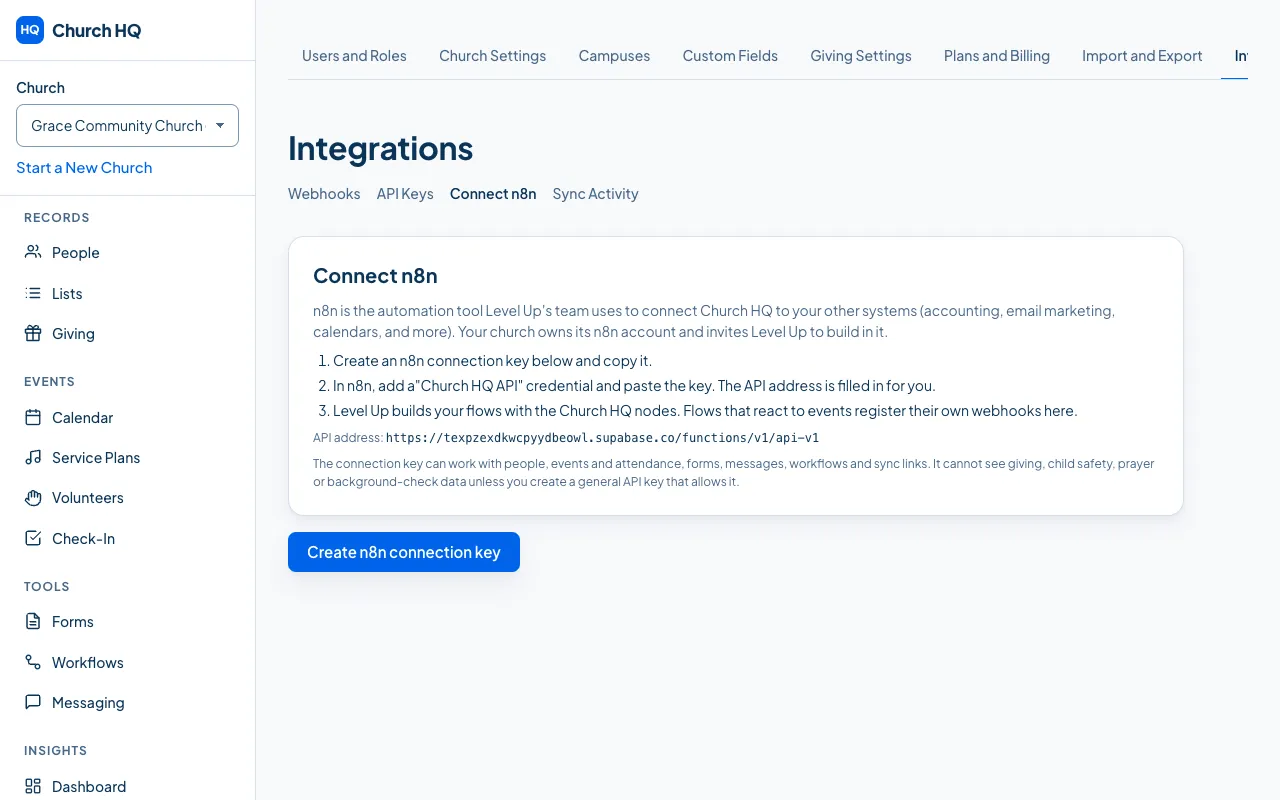
In the sidebar, choose Administration, then Integrations, then Connect n8n.
-
Follow what it tells you: create an API key for n8n, then add the Church HQ credentials in n8n using that key.
-
In n8n, add a Church HQ node to a workflow and choose the action you want.
What the node can do
Section titled “What the node can do”- Trigger a workflow when something happens in Church HQ.
- Act on Church HQ: create or update people, record donations, and more, within the scopes of the key you used.
Good to know
Section titled “Good to know”- Level Up’s team can build these for you. Enterprise churches usually ask us rather than building their own. Email help@mychurchhq.com.
- Use one key per system. If you retire an n8n workflow, revoke its key. See Create and Revoke an API Key.
Still stuck? Contact the Help Desk at help@mychurchhq.com and tell us which guide you were following.