Kids Check-In
Check a Child Out
Every check-in produces a 4 digit code. The code is how a child is collected: the adult shows it, you type it, and Church HQ tells you which child it belongs to.
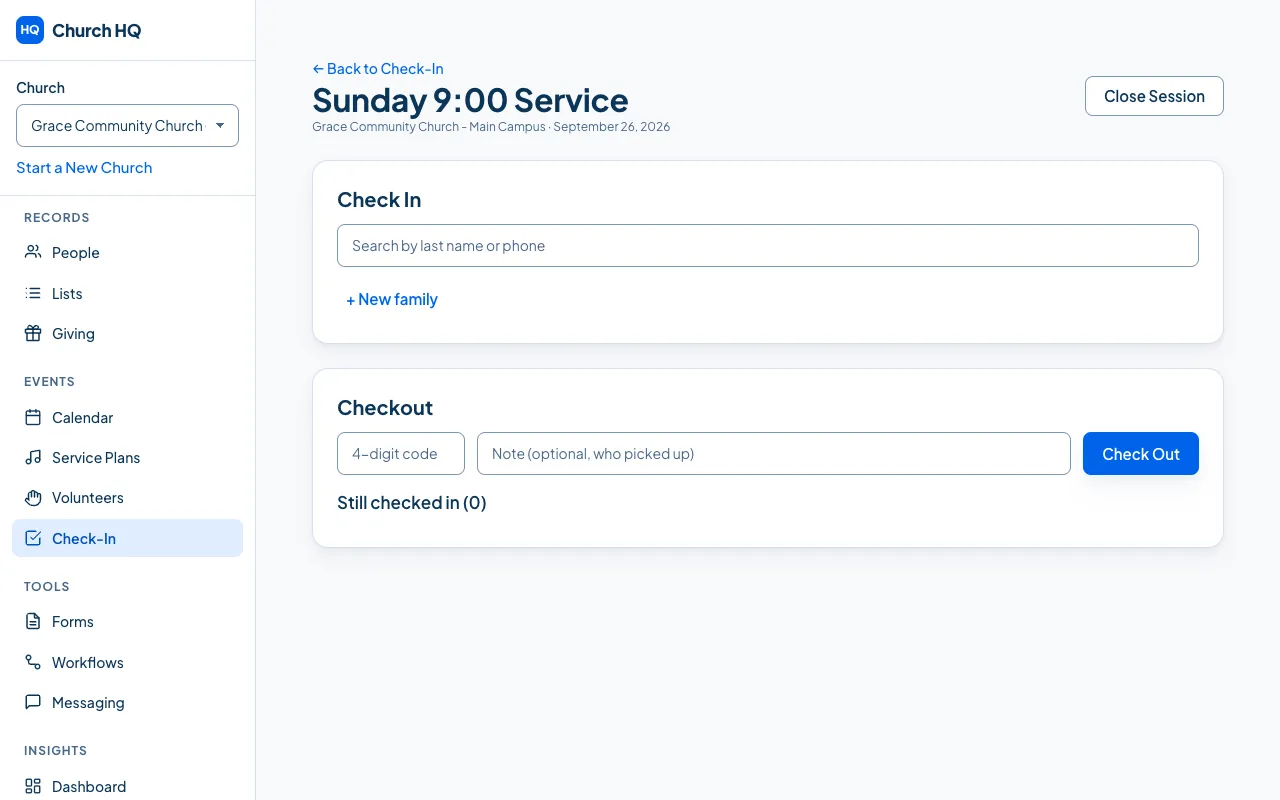
- In the open session, find Checkout.
- Type the 4-digit code the adult shows you.
- Add a note if it helps, for example who collected them. The field says Note (optional, who picked up).
- Choose Check Out.
The child comes off Still checked in, which is the list of everyone still in a room, with their room and code beside each name.
If there is no code
Section titled “If there is no code”- Check the child’s record for Pickup Authorizations, which is the list of adults your church has agreed may collect them.
- If in doubt, do not release the child. Find a leader. Church HQ is a record, not a substitute for your own safeguarding policy.
At the end of the service
Section titled “At the end of the service”Choose Close Session. If children are still checked in, Church HQ names them and asks whether to close anyway, so nobody is forgotten in a room.
Still stuck? Contact the Help Desk at help@mychurchhq.com and tell us which guide you were following.