Service Plans
Add Songs to Your Song Library
The song library is the list of songs your church sings. Songs go into service plans from here, so the same song is the same song every week.
-
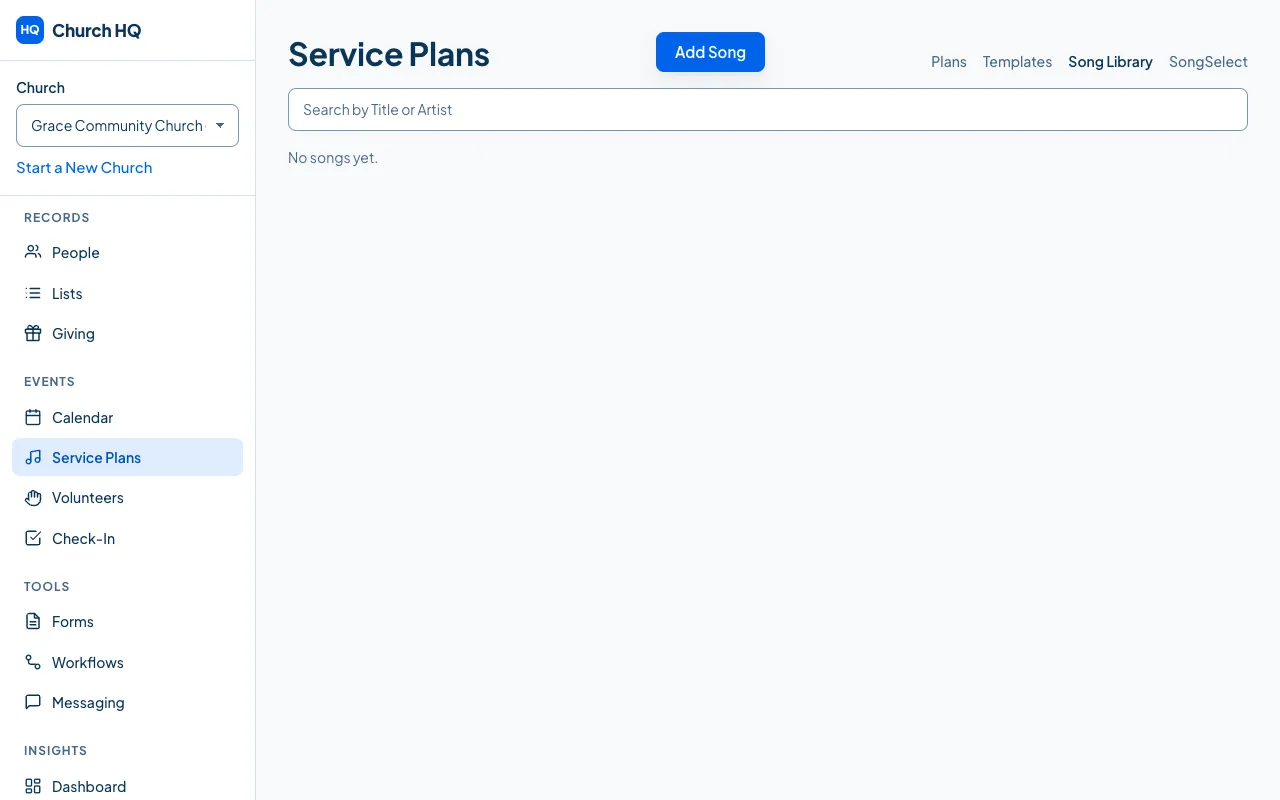
Choose Service Plans in the sidebar, then the Song Library tab.
-
Choose Add Song.
-
Fill in the song’s details: its title, who wrote it, the key you sing it in, and its CCLI number if you report your usage.
-
Save.
Good to know
Section titled “Good to know”- Add a song once. If it is already in the library, use that one rather than adding a second copy, so your usage reporting stays honest.
- Attachments let you keep chord charts and other files with the song. One file can be up to 25 MB, and Church HQ takes documents, images, audio and video. Everything attached counts towards your church’s storage: see See and Manage Your Storage.
- Archiving a song keeps it in the plans it has already been used in.
- SongSelect search and import are not available. CCLI closed the partner programme those needed, so songs are added by hand.
Still stuck? Contact the Help Desk at help@mychurchhq.com and tell us which guide you were following.