Giving
Create Giving Statements
A giving statement is a donor’s year in one document: what they gave, less anything refunded, with your church’s name, address and EIN on it and the wording the IRS expects.
-
Choose Giving in the sidebar, then the Statements tab.
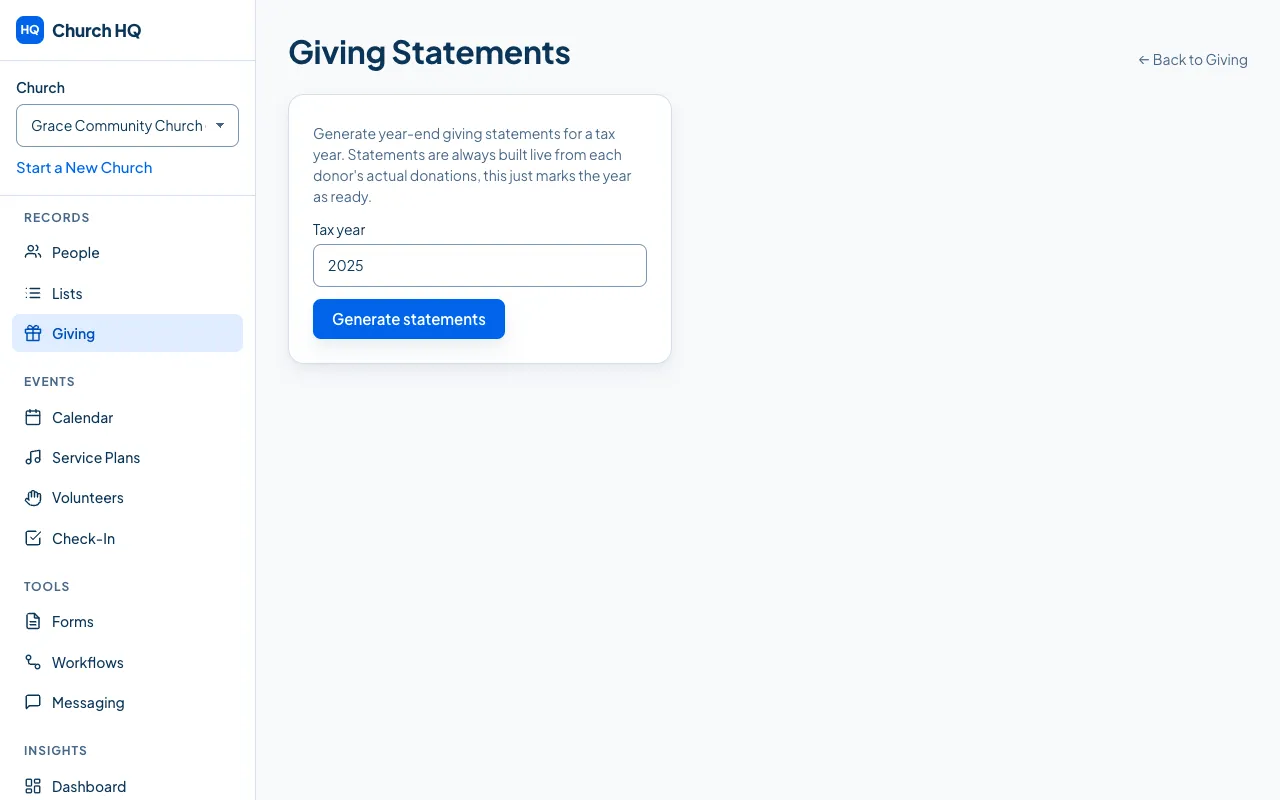
-
Type the Tax year.
-
Choose Generate statements.
That marks the year as ready. Statements are always built from each donor’s actual donations when they are opened, so a correction you make later is in the statement from then on.
What a donor sees
Section titled “What a donor sees”Donors download their own statement from the Member Portal. See Your Giving History.
Before you generate
Section titled “Before you generate”- Check your church’s EIN and address in Church Settings and Campuses; both appear on the statement. See Add or Change Your Church’s EIN.
- Record the last of the year’s cash and checks, using the date each was given.
- Sort out any refunds, since a statement shows donations net of refunds.
Good to know
Section titled “Good to know”- Dates follow your church’s timezone, which is what decides the year a late-December donation falls in. See Set Your Timezone.
- Deductible totals are shown separately from anything that is not deductible.
- Unattributed cash cannot appear on anyone’s statement, because nobody knows whose it was.
Still stuck? Contact the Help Desk at help@mychurchhq.com and tell us which guide you were following.