Import and Export
Export Your Data
Your church’s data is your church’s. You can export it at any time, on any plan.
-
In the sidebar, choose Administration, then the Import and Export tab.
-
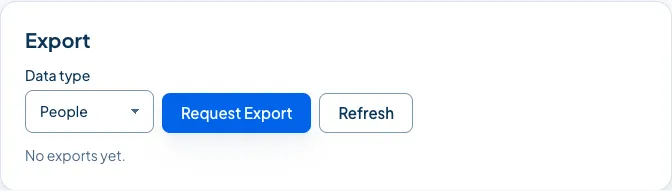
In Export, choose the Data type: People, Households, Volunteers, Giving or Attendance.
-
Choose Request Export.
-
Church HQ prepares the file in the background. Choose Refresh to see when it is ready, then download it.
Good to know
Section titled “Good to know”- Exports expire. The file is available for a while and then removed, so download it when it is ready. Until then it counts towards your church’s storage, which you can see under Storage.
- Giving exports need giving access, like everything else about giving.
- Every export is in the audit log, with who asked for it.
- A closed church can still export. If you ever cancel, Owners and Administrators keep the ability to take their data with them. See Cancel, Close or Reactivate Your Church.
Still stuck? Contact the Help Desk at help@mychurchhq.com and tell us which guide you were following.