People and Households
Edit a Person, Add Tags and Notes
Everything about a person lives on their record. Open People in the sidebar and choose their name.
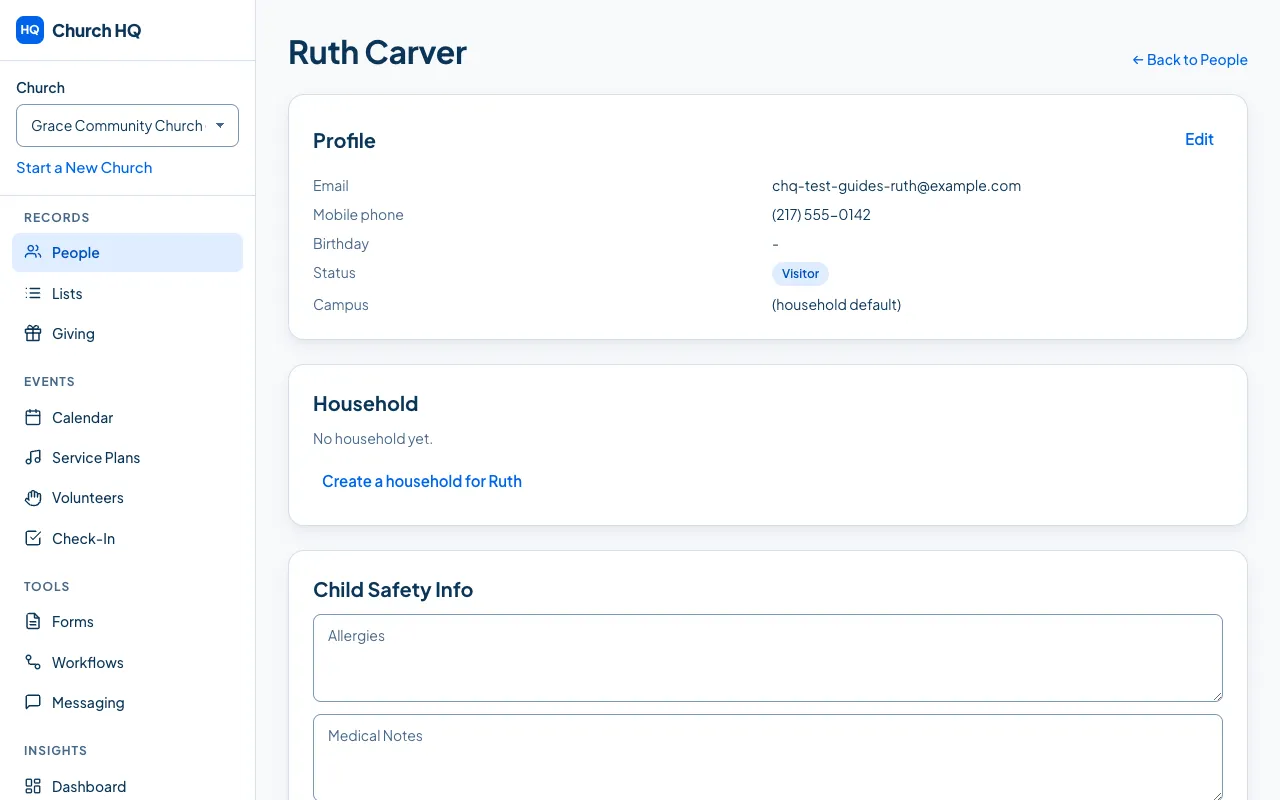
Change their details
Section titled “Change their details”Edit the fields in the Profile panel and save. Name, email, mobile phone, birthday, campus and status all live here.
A person’s status is what tells your church whether they are active among you. Changing it does not delete anything.
Tags are your own labels: New Here, Choir, Small Group Leader, whatever your church actually
says. Add one in the Tags panel, and remove it with the × beside it.
Tags are useful because Lists can be built from them, which then feed messages and reports.
Notes are for your team: a conversation worth remembering, a pastoral note, a decision made. They are visible to staff who can see the person, so write them with that in mind.
Emergency contacts and relationships
Section titled “Emergency contacts and relationships”- Emergency Contacts: a name and a phone number for when something goes wrong.
- Relationships: how this person is connected to others, such as parent, child or spouse. Adding one asks you for the type and the person, and they appear on both records.
Removing either asks you to confirm first, and tells you what is kept.
Children’s information
Section titled “Children’s information”If your church has given you access to children’s information, a person’s record also has Child Safety Info: allergies, medical notes, special needs notes, and Pickup Authorizations, which are the people allowed to collect a child. These feed Kids Check-In.
Everyone else does not see the panel at all. See Give or Remove Access to Protected Information.
Still stuck? Contact the Help Desk at help@mychurchhq.com and tell us which guide you were following.