Giving
Give Online
Every church on Church HQ has its own giving page. Nobody signs in to use it.
https://mychurchhq.com/give/your-church
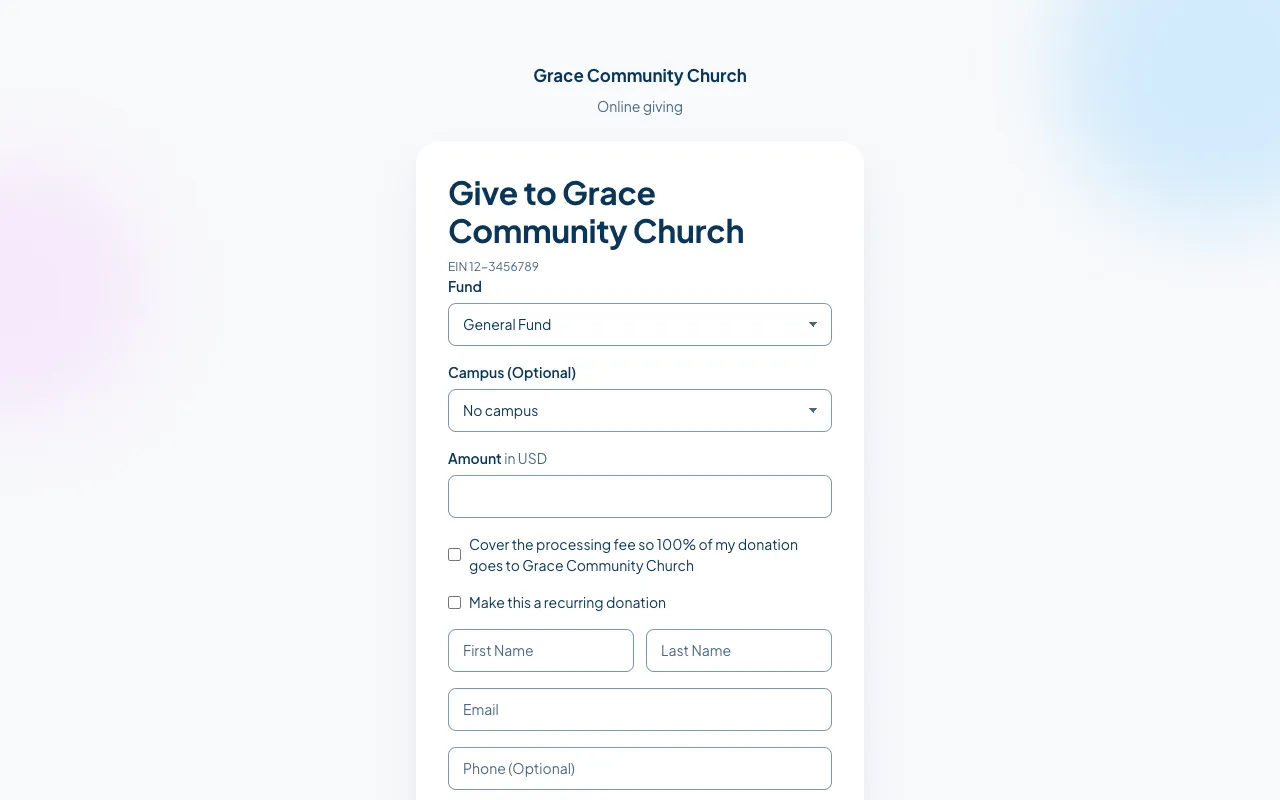
What a donor does
Section titled “What a donor does”- Choose the Fund the donation is for.
- Choose a Campus (Optional), if the church has more than one.
- Type the Amount.
- Decide about the two boxes:
- Cover the processing fee so 100% of my donation goes to [church] adds the card fee on top, so the church receives the full amount.
- Make this a recurring donation turns it into a regular gift and asks how often.
- Fill in first name, last name, email, and phone if they want to.
- Enter the card details and give.
The donor gets a receipt by email. The donation appears in the church’s Giving straight away.
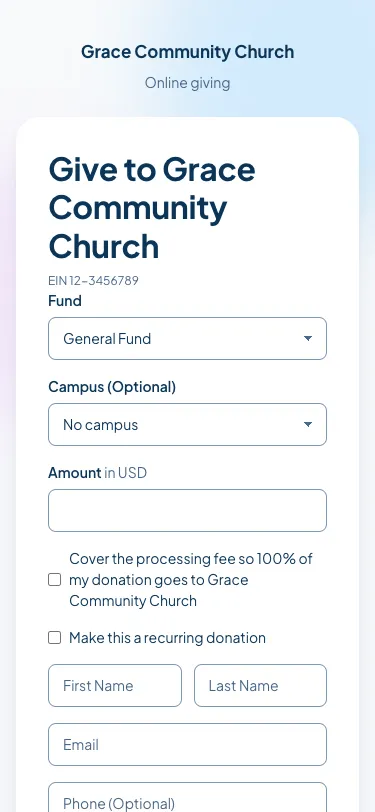
On a phone
Section titled “On a phone”Most people give from a phone, which is what the page is built for.
Sharing the link
Section titled “Sharing the link”- Put it on your website’s Give button.
- Put it in a message. See Send a Message.
- Print it, or a QR code to it, on a card for the seats.
Your church’s part of the link is its church URL, which you can change. See Change Your Church URL.
Good to know
Section titled “Good to know”- Donors do not need an account. If their email matches someone your church knows, Church HQ attaches the donation to that person.
- After a first online donation, a donor can be given a Member Portal account to see their own giving and download statements. See Your Giving History.
- Nothing appears here until Stripe is connected. See Connect Stripe.
Still stuck? Contact the Help Desk at help@mychurchhq.com and tell us which guide you were following.